

Immersive Real Estate Sales: ProjectView
An immersive platform for selling off-plan homes, from building to apartment
Role
Product Design Lead
Client
Urbánica
Period
2025 - 2026
Company
Appicua
Stack
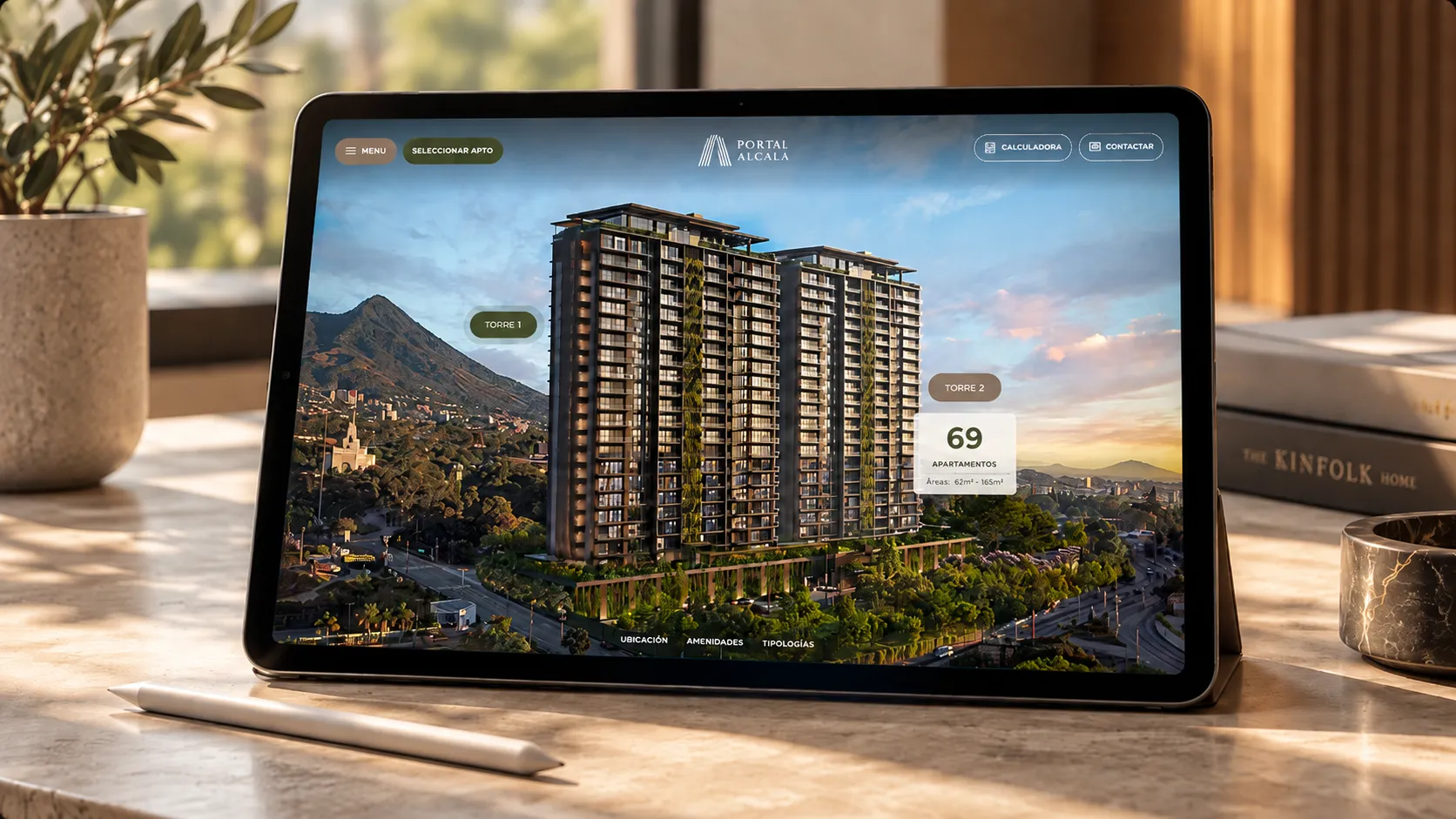
A fragmented sales process
In off-plan home sales, project information is scattered across renders, floor plan PDFs, price lists and inventory spreadsheets. Each channel presents it differently, and buyers end up piecing the project together in their heads.
To understand the problem, we analyzed how developers sell in sales offices, real estate fairs and web channels, along with the technology behind those processes. We found disconnected tools and a constant pattern: projects are requested on tight deadlines, close to launches and fairs, when there is no room to build from scratch.
ProjectView was born at Appicua as an answer to that scenario: an immersive platform that unifies the sales experience across every channel. Urbánica implemented it for Portal Alcalá, a two-tower residential project in San Salvador.
4
Levels of exploration
3
Channels: office, fair and web
- Fragmented information
- Deadlines tied to launches and fairs
- Disconnected tools
Product Design Lead
I led the product design end to end: from concept and navigation architecture to visual direction and support for the development team, so the designed experience reached production intact.
- Analysis of sales processes in offices, fairs and web
- Product concept and navigation architecture: project → tower → floor → apartment
- Art direction and interface design, with renders and floor plans at the center
- Visual system adaptable to each project's brand
- Responsive design for desktop and mobile
- Support for the development team during implementation
Architecture as interface
The core decision was to use the building itself as navigation. Instead of menus and tables, buyers interact with the renders: they pick a tower, move through its floors and step into each floor plan. Information is revealed progressively, and the interface stays light so the architecture takes center stage.
The system adapts to the brand and sales assets each project already has: renders, floor plans, palette, typography and inventory. This lets it go live in a short time, ready for a launch or a fair. It also syncs inventory locally to work offline, which is key in sales offices and fair stands where connectivity isn't always guaranteed.
From building to floor
The tower view shows the whole building alongside a synced floor table: selecting a floor highlights it on the render and opens a panel with the available apartments and their areas. An availability toggle shows at a glance what's still for sale.
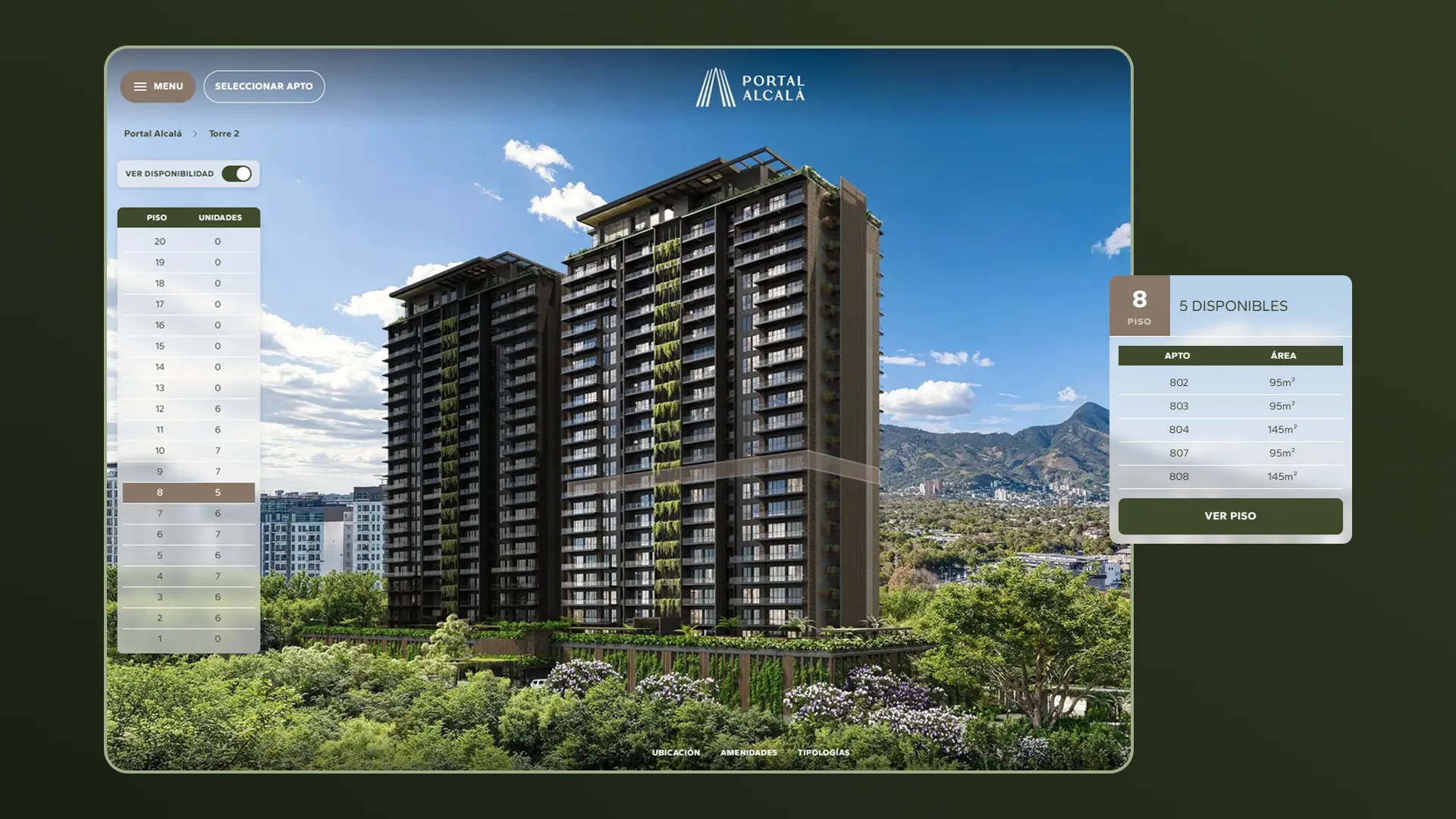
Tower view with availability per floor
From floor to floor plan
Each floor is presented as an interactive architectural plan. Pointing at an apartment reveals its area, bedrooms and bathrooms without leaving the view. A side selector lets buyers jump between floors, and a location map keeps them oriented to the surrounding streets.
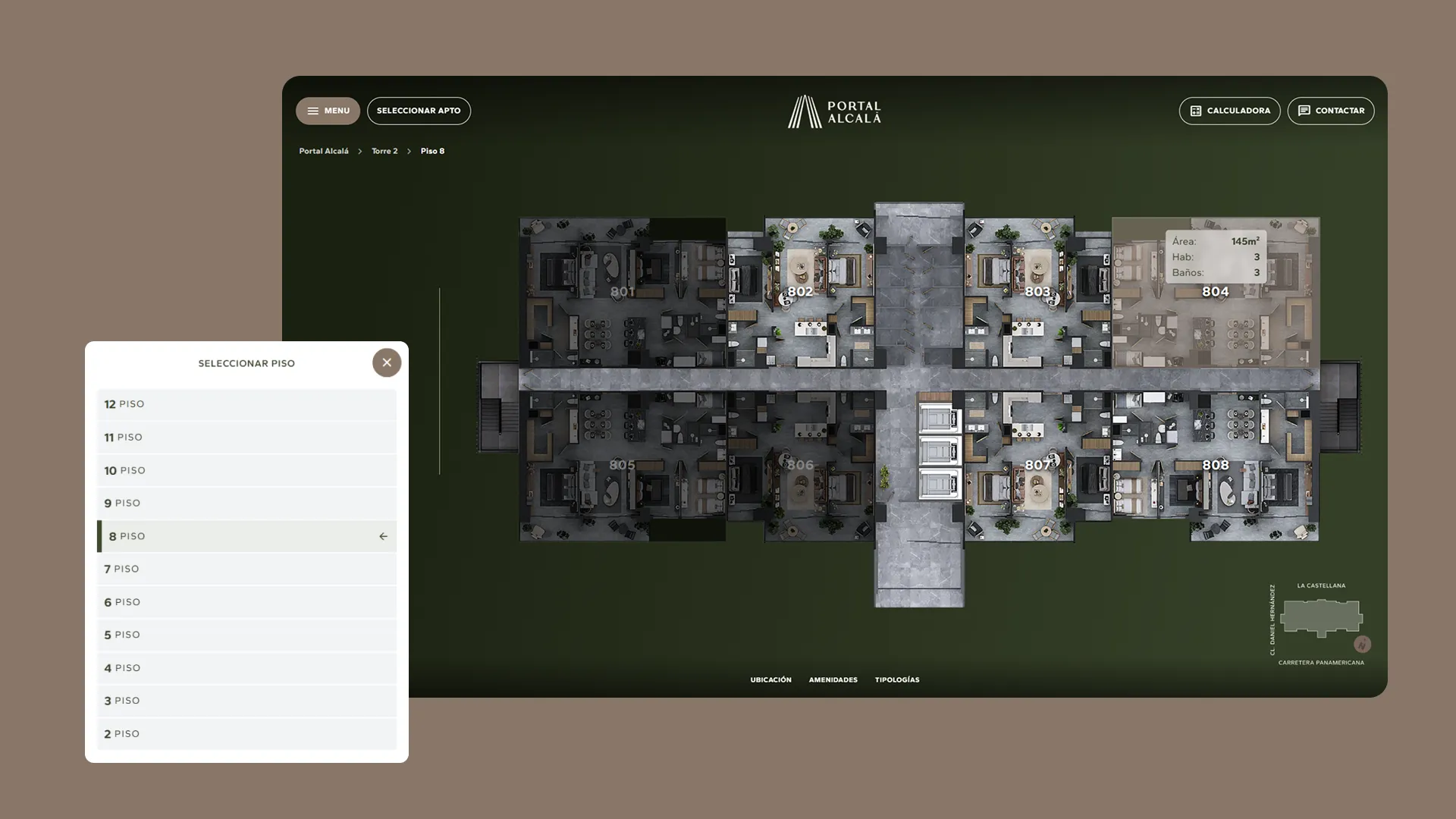
Interactive floor plan and floor selector
The apartment takes center stage
The apartment page brings together everything needed to decide: type, areas, price, orientation, view and features, next to the furnished floor plan over an interior render. From here, buyers can open the gallery, take the virtual tour or contact the sales team.
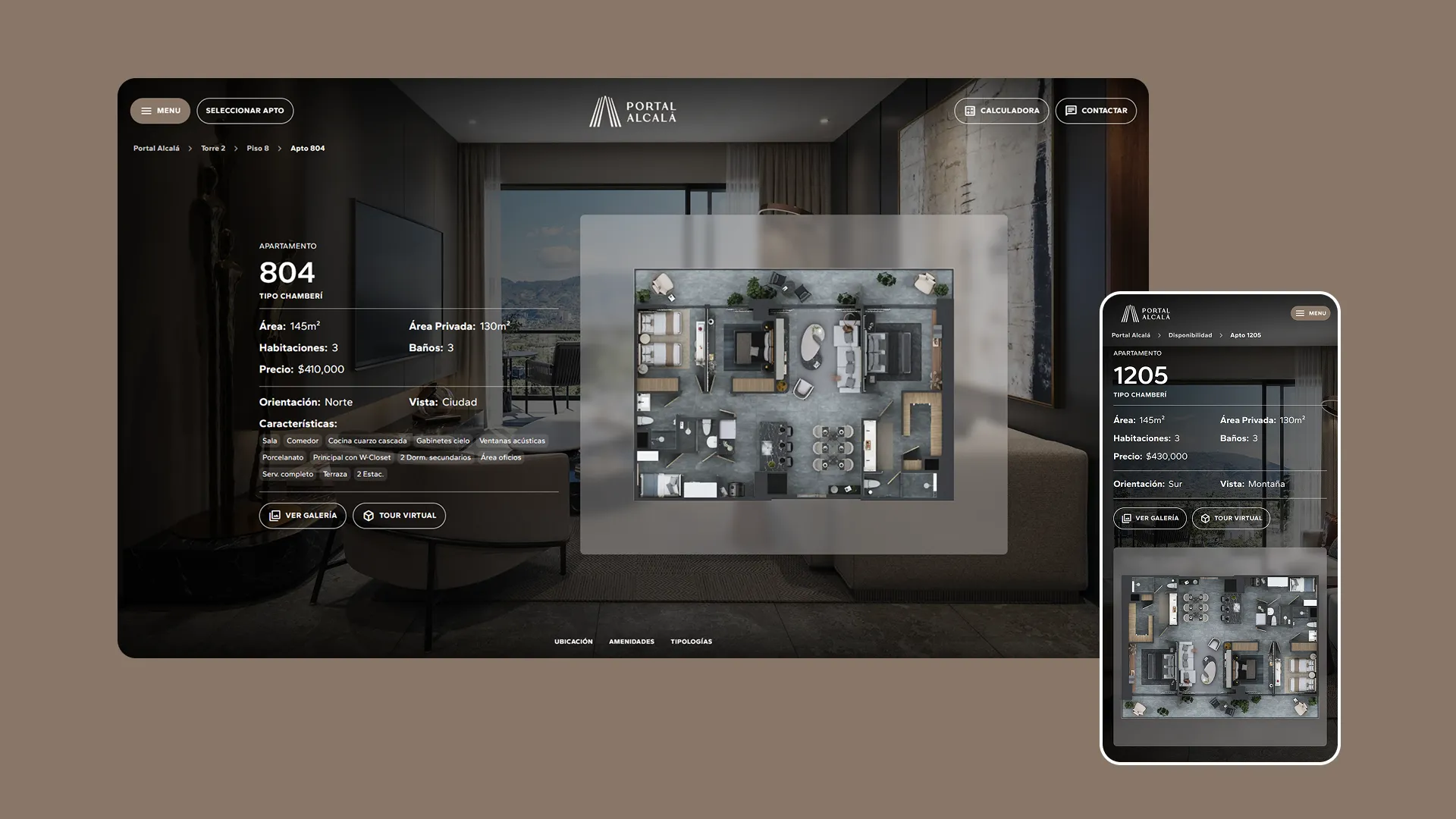
Apartment page on desktop and mobile
The same experience in your pocket
On mobile, visual exploration is complemented by a filter-based search (type, tower, floor and status) and a card list showing each apartment's floor plan. The menu, gallery and apartment pages adapt so the experience feels just as polished on a small screen.
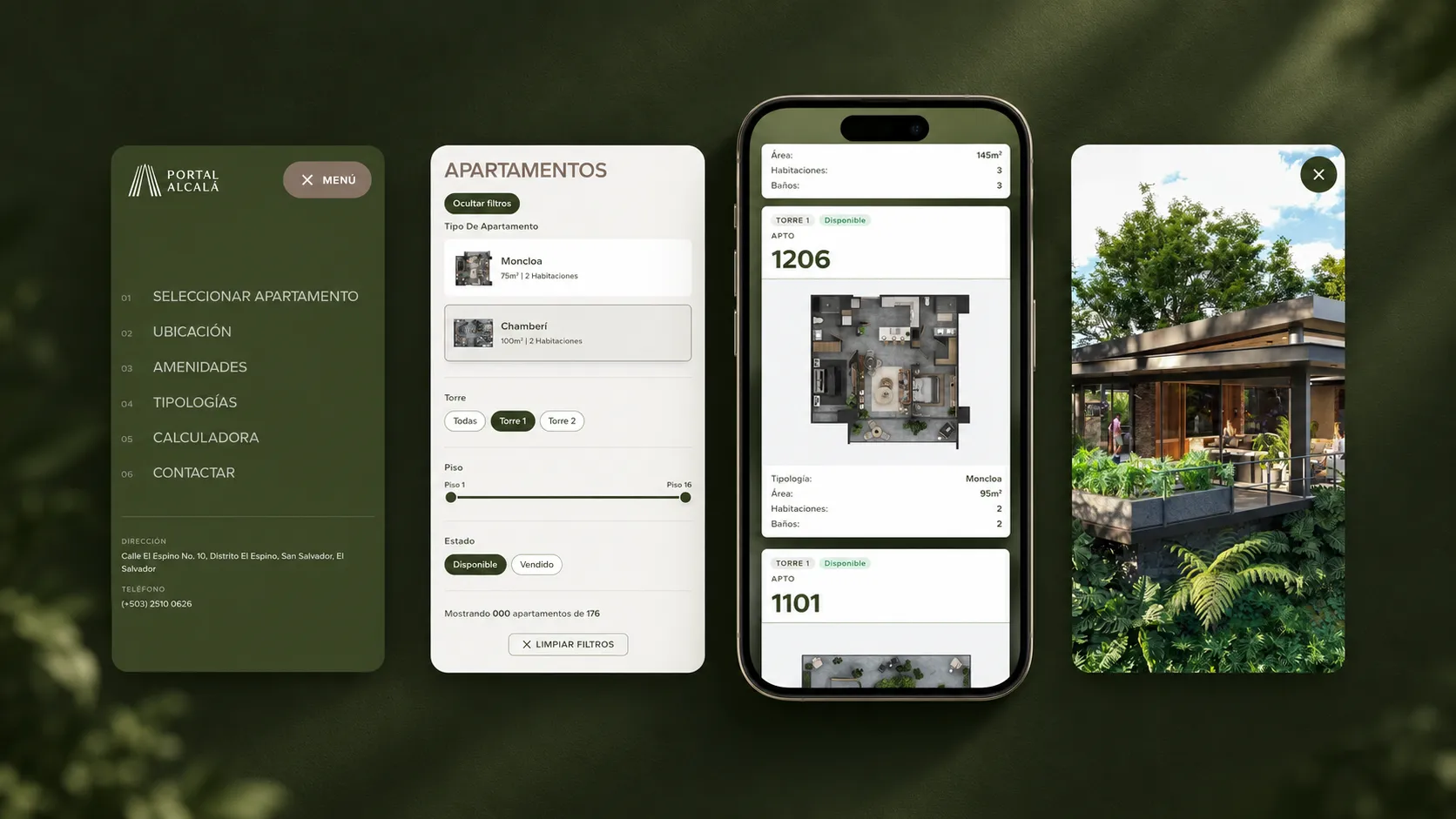
Menu, filters, listing and gallery on mobile
DesigningProjectViewmeantturningarchitectureintointerface:lessinformationatatime,morecontext,andaclearpathfrominteresttodecision.